Helping craftsmen get paid faster
Context
ToolTime Pay supported credit card payments, but adoption was low. In Germany, trade customers mostly stuck to bank transfers.
To drive adoption, leadership set a five-month timeline to launch bank transfers with automated reconciliation and dunning.
My role
Product designer
Team
- 1 Product manager
- 5 Engineers
- 1 Product designer (me)
Key results
36× growth
in payment volume in the first month of launching bank transfers
7-digit monthly payment volume
across hundreds of active companies
8+ hours saved per week
by automating payment reconciliation and dunning processes
Challenge
The business requirement from leadership was clear: add bank transfers, automated reconciliation and dunning within 5 months.
The design challenge was harder: making failures manageable. Our reconciliation would auto-match most payments, but partial payments, reference typos and multiple invoices in one transfer require special handling. Automated dunning only works when users trust it enough to enable it.
Payment Reconciliation: Designing for the 10% That Fails
Auto-matching succeeds 90% of the time. The rest risks falling through without careful design. Instead of hiding unmatched payments in a status column, I gave tradespeople a clear call to action.
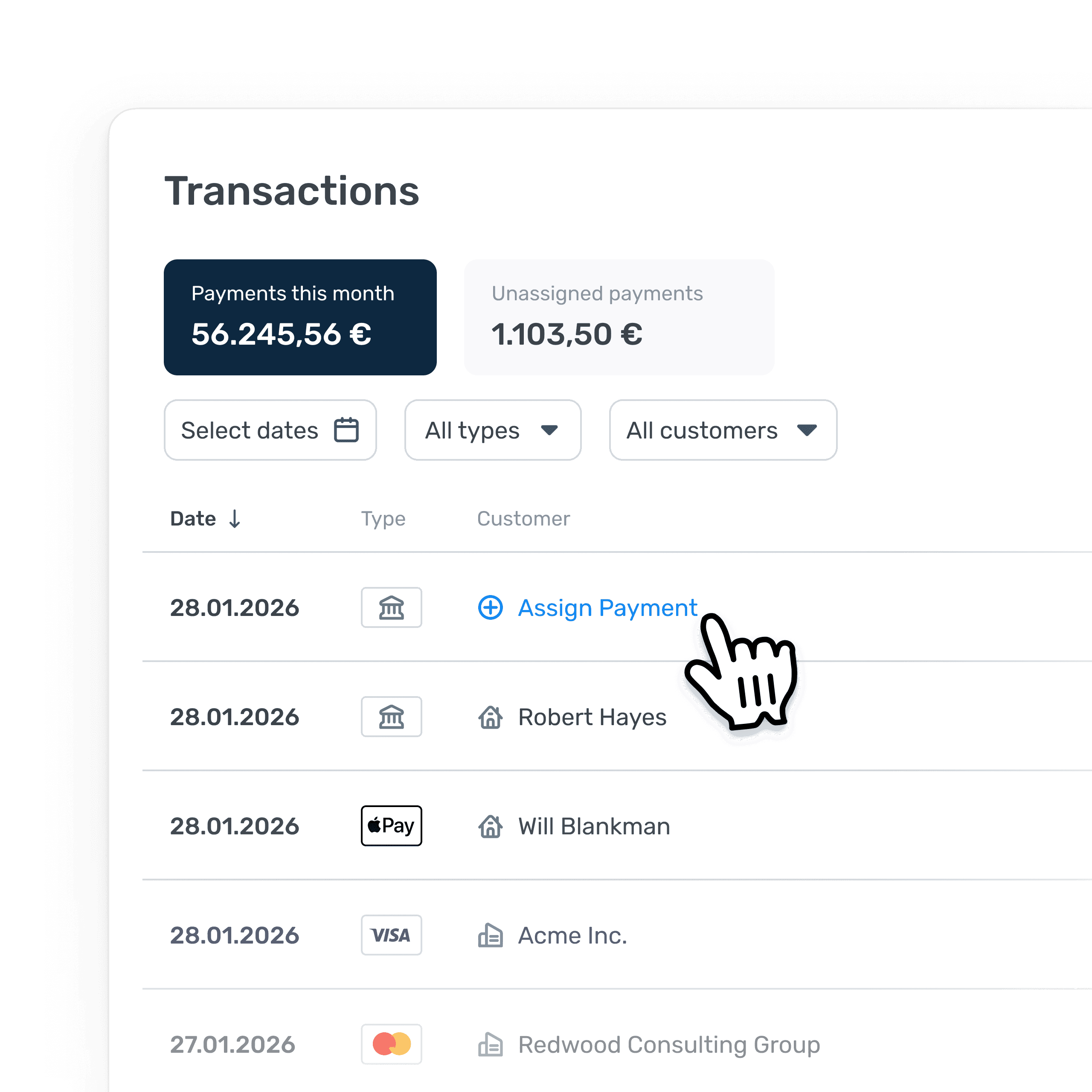
The customer name is replaced with an Assign Payment button, making unmatched payments immediately visible and actionable.
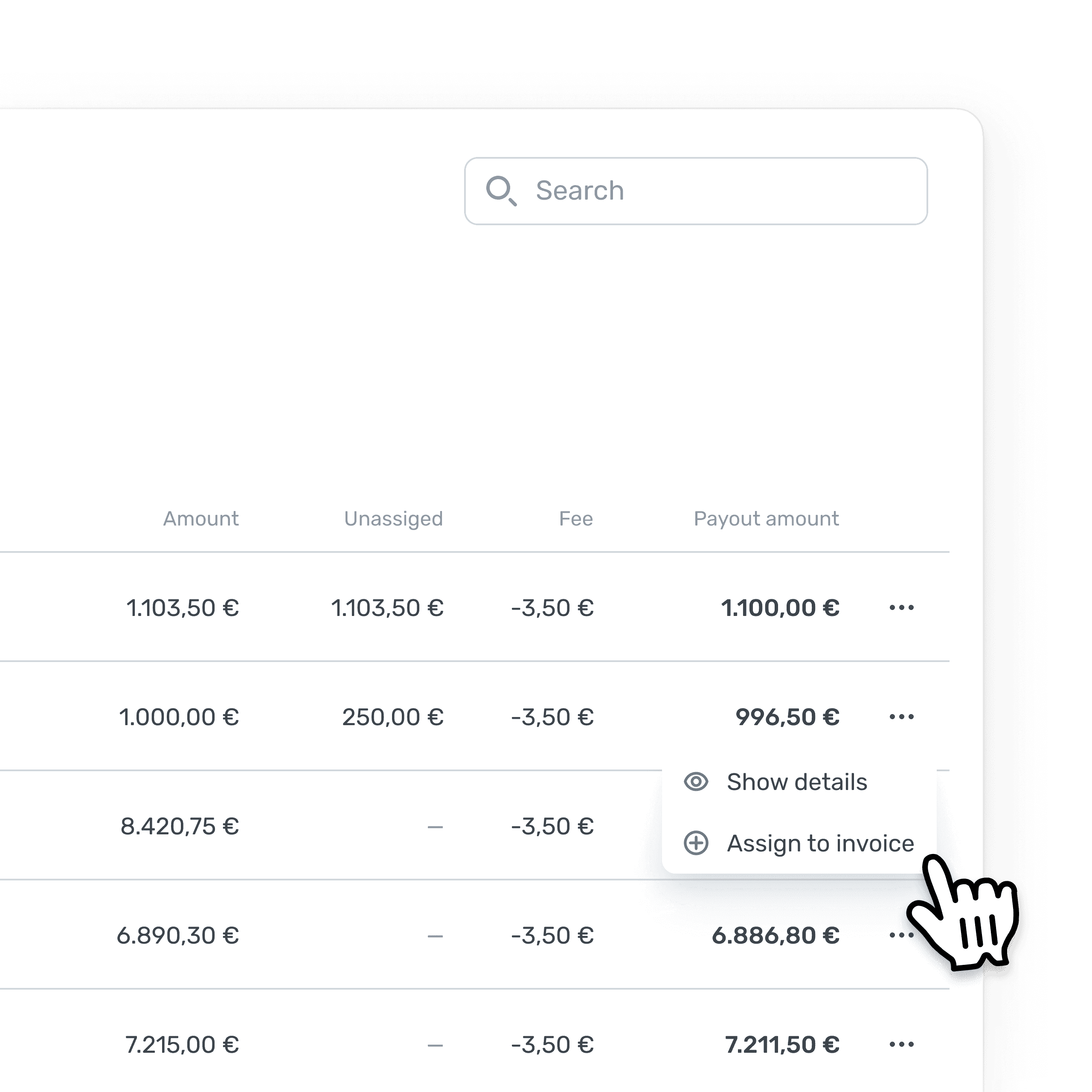
An unassigned column tracks remaining amounts in real-time: if a customer pays 750 € against a 1.000 € invoice, tradespeople see the 250 € outstanding instantly.
Making failures visible
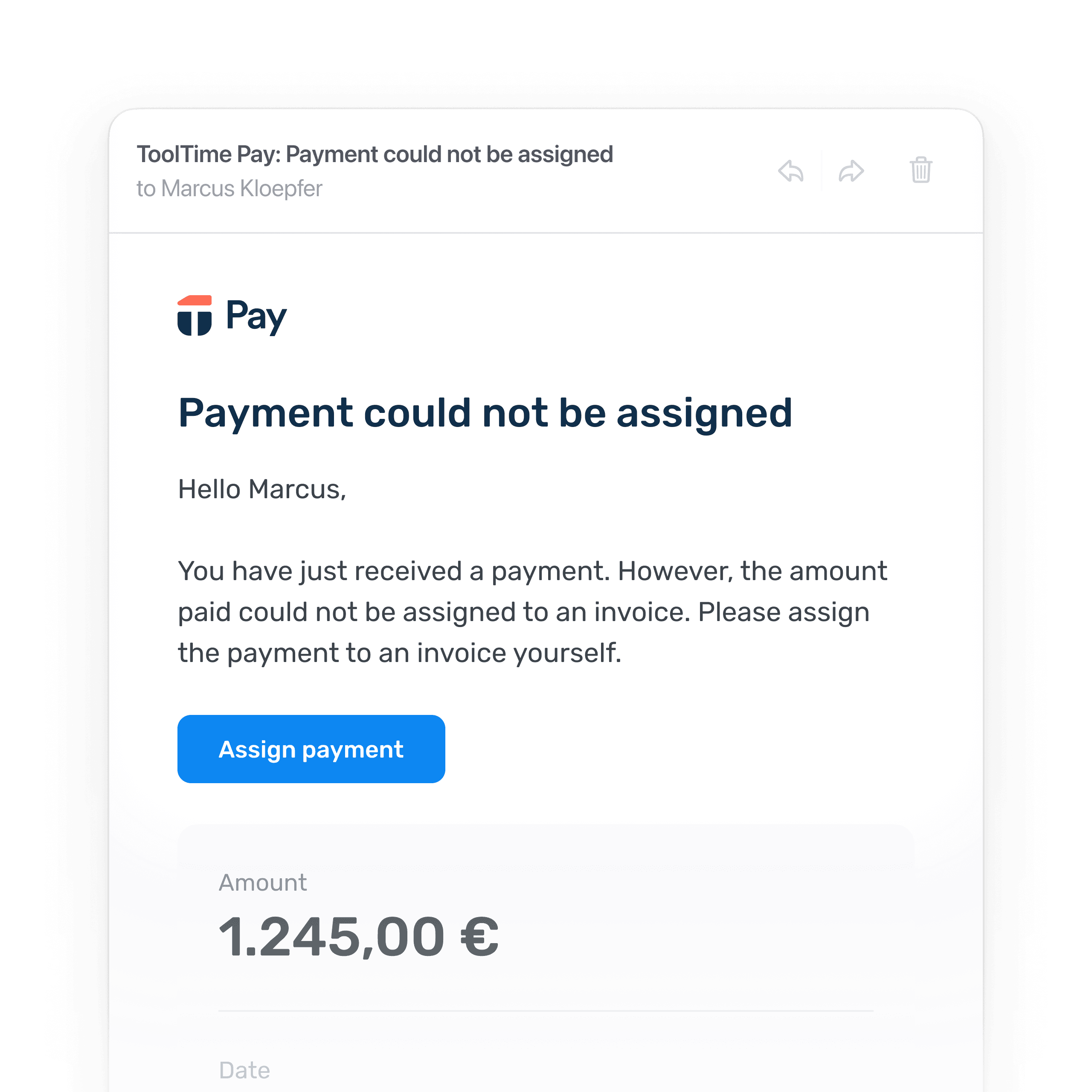
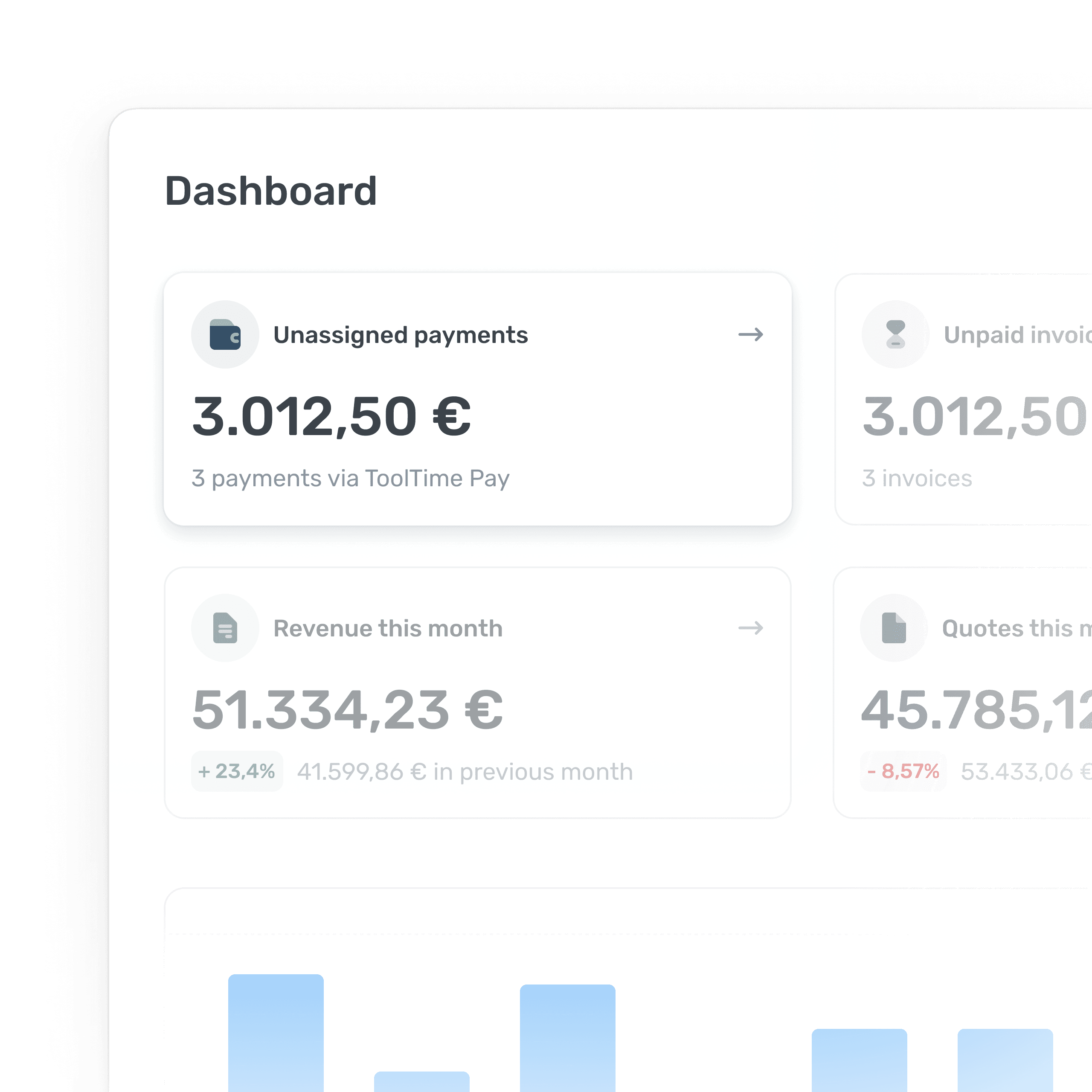
Unmatched payments surface in three places: a daily email, a dashboard card and a card above the transaction list.
Each touchpoint works independently, so failures get resolved without getting buried.
The Problem: Too Many Steps, Too Much Confusion
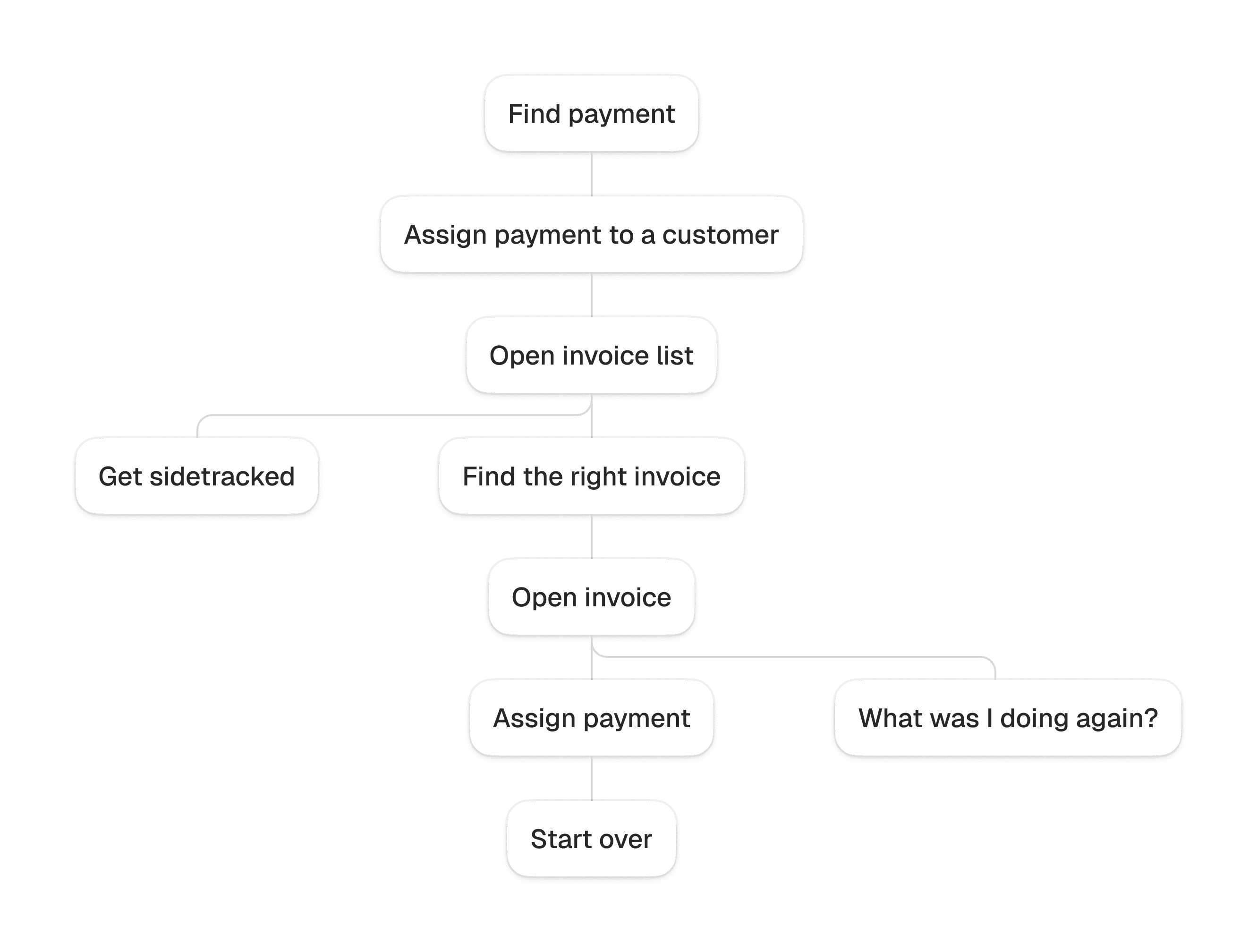
We launched the initial version quickly to get payment matching into customers' hands, knowing it wasn't ideal. The flow was fragmented: tradespeople had to assign payments to a customer first, then apply those payments to the right invoice separately, jumping between screens.
As expected, customer support quickly flagged the confusion and user feedback confirmed it was too tedious.
The new Assignment Flow: One Modal, Not Multiple Screens
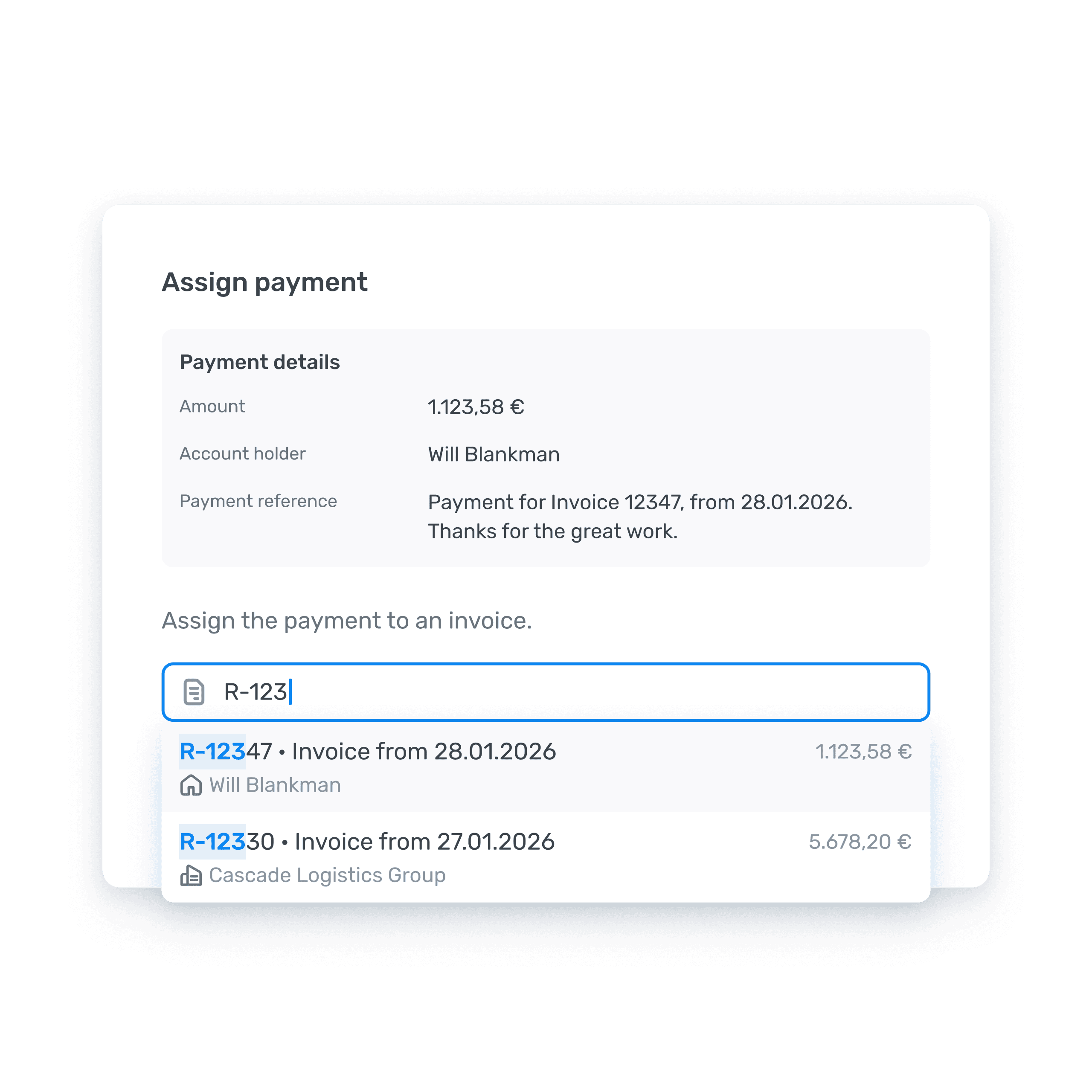
When we revisited the feature, I consolidated the workflow into a single modal:
- Payment details visible at a glance
- Search by name, amount or title
- Assign with a single click
As a result, tradespeople can resolve unmatched payments more quickly, and customer support requests have decreased.
Automating the stressful part
For tradespeople, chasing unpaid invoices is one of the most stressful and time-consuming parts of the job. Tradespeople told us it often happened after hours, on weekends or not at all.
Automated dunning became the main reason companies stayed with ToolTime Pay.
It's such a relief I don't have to worry about sending payment reminders or anything like that.
Auto-enabled: No setup required
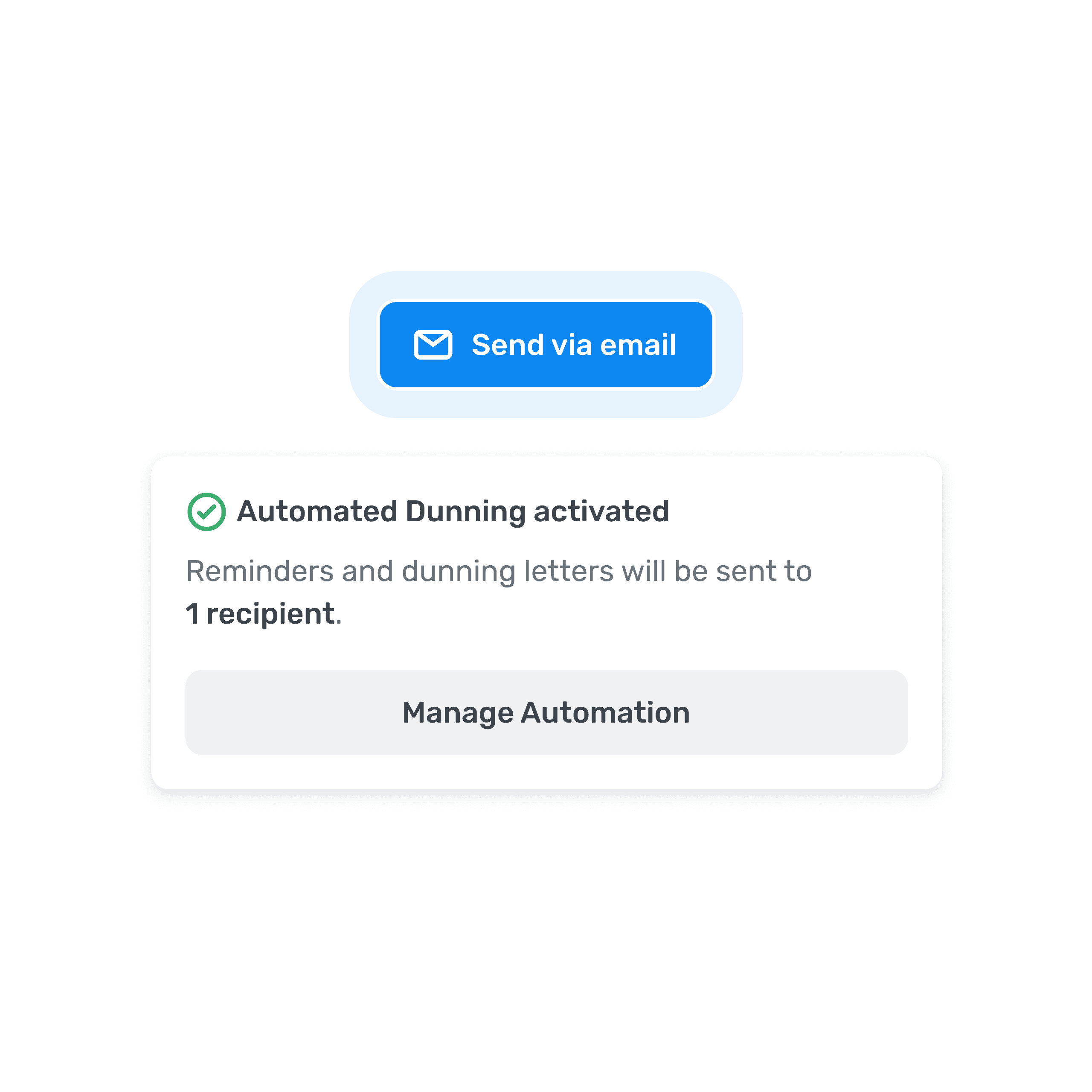
Dunning activates automatically when an invoice is emailed. Since the automation is tied to that action anyway, requiring a separate enable step would have added unnecessary friction.
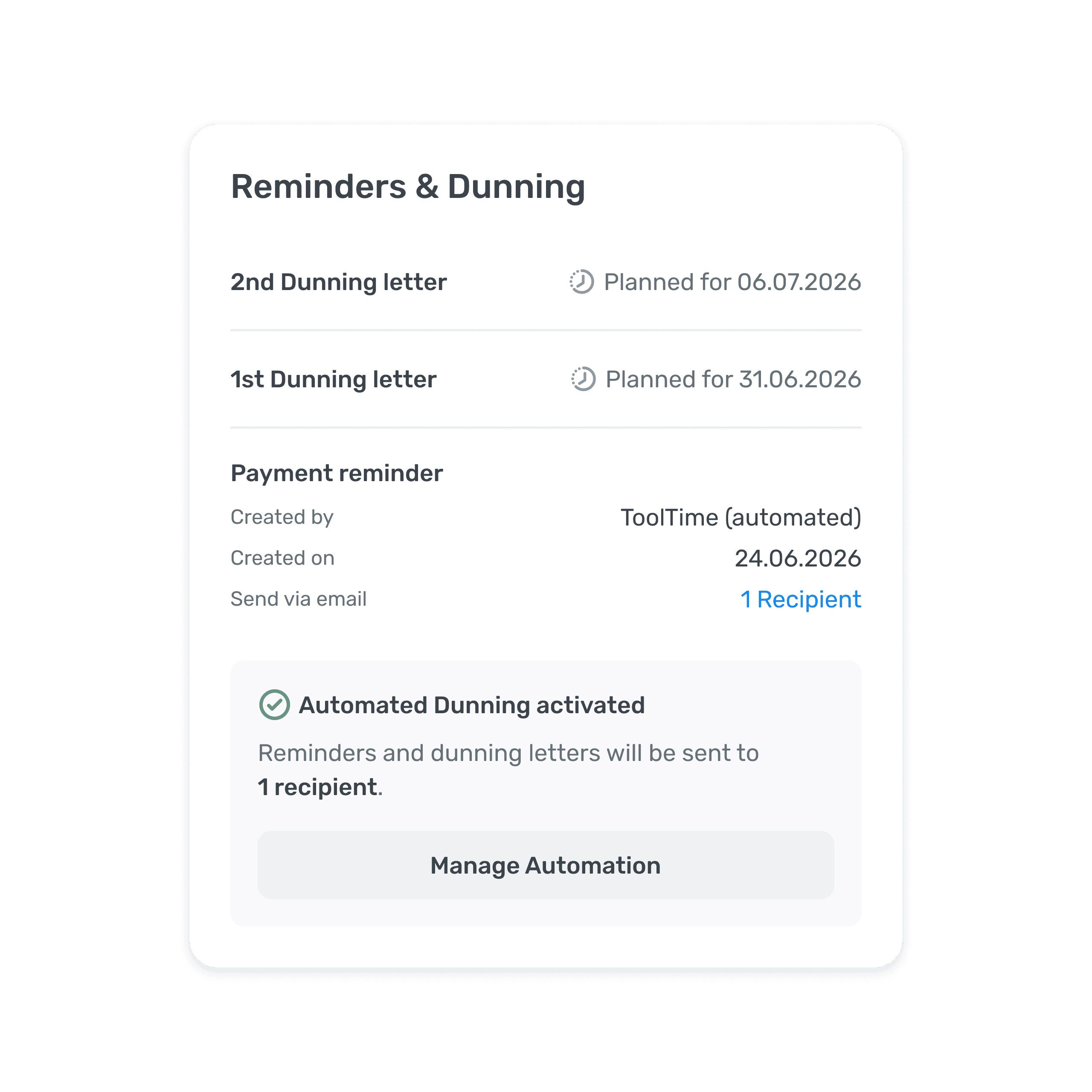
Making automation transparent
A sidebar card shows upcoming dunning stages and send dates, with a clear path to manage automation.
Tradespeople can also see which payment reminders or dunning letters have already been sent out by the system.
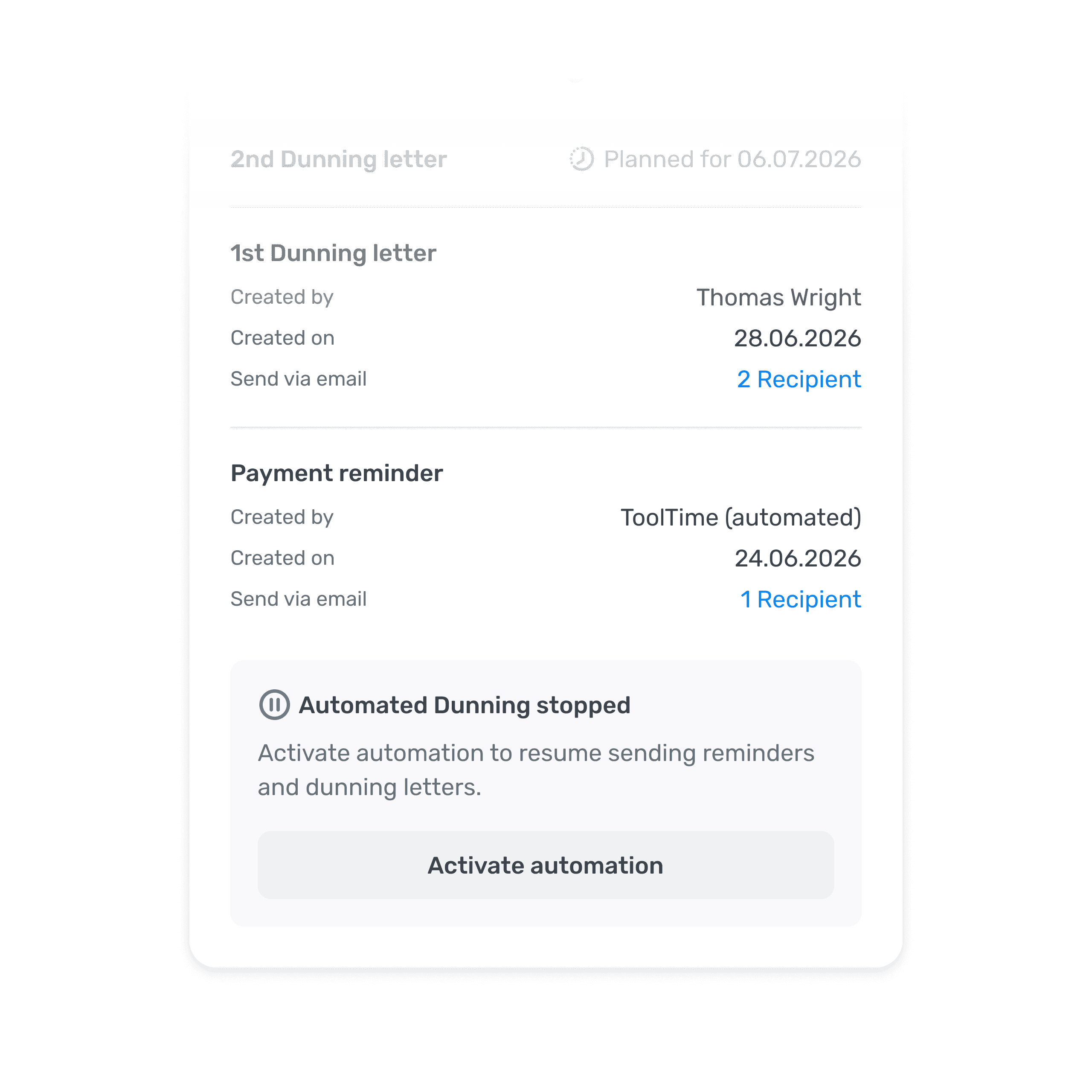
Step in, take control
Manual dunning letters pause automation for that invoice, so tradespeople can step in directly. When someone sends a manual letter, their intention is clear: they want control of that specific case. The automation resumes when users reactivate it.
Outcome
Bank transfers and automated dunning launched on schedule and immediately drove adoption for ToolTime Pay:
- Millions in monthly payment volume across hundreds of companies
- Mid-six-figure ARR through transaction fees
- 8+ hours saved weekly on reconciliation and dunning
- First fully integrated payment tool for German tradespeople